
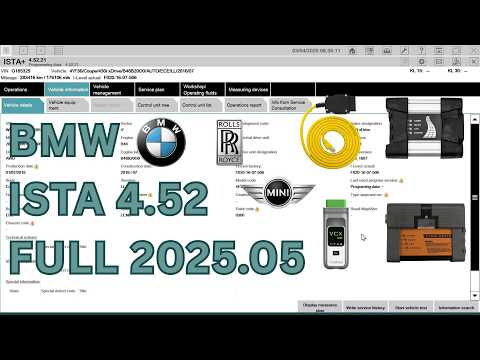
BMW ISTA 4.52
BMW ISTA (Integrated Service Technical Application) — also known as Rheingold — is the official BMW Group dealer diagnostic platform. Used in every authorised BMW, MINI, and Rolls-Royce workshop worldwide, ISTA gives you complete access to every module in the vehicle: read and clear fault codes, run guided fault finding, perform service resets, and execute ECU programming and coding — exactly as the dealership does, without the dealership price tag.
Included
Digital Download Only
Instant digital download available immediately after payment. No physical product will be shipped.
Remote Installation
Free remote installation via AnyDesk if needed. We connect directly to your PC and install everything for you.
Description
BMW Diagnostic Software
What is BMW ISTA?
BMW ISTA (Integrated Service Technical Application) — also known as Rheingold — is the official BMW Group dealer diagnostic platform. Used in every authorised BMW, MINI, and Rolls-Royce workshop worldwide, ISTA gives you complete access to every module in the vehicle: read and clear fault codes, run guided fault finding, perform service resets, and execute ECU programming and coding — exactly as the dealership does, without the dealership price tag.
Full System Diagnostics
Read and clear fault codes across every module — engine, gearbox, ABS, airbag, comfort, chassis, and more.
Guided Fault Finding
Step-by-step repair instructions built into the software — exactly the same guided troubleshooting used by BMW dealer technicians.
ECU Programming & Coding
Flash ECUs, perform variant coding, activate features, and run online programming for F/G/I Series with PSdZData.
ICOM, ICOM Next & ENET
Full support for all BMW interfaces — professional ICOM/ICOM Next workshop tools and ENET cable for home use on F/G Series.
Multilanguage Support
Available in English, German, French, Spanish, Italian, Russian, and more. Switch language inside the software in seconds.
ICOM Firmware Updates
Update your ICOM or ICOM Next firmware directly through ISTA — keep your interface current without any extra tools.
Compatibility
Vehicle & Series Coverage
BMW ISTA 4.52 covers the complete BMW Group vehicle range — from classic E-Series through to the newest G and I platform models. If it has a BMW, MINI, or Rolls-Royce badge, ISTA covers it.
BMW E-Series
E30, E36, E46, E60, E90, E87, E70, E53 and all other E-Series models — diagnostics and programming.
BMW F-Series
F10, F30, F20, F15, F25, F01 and all F platform models — full diagnostics, coding, and ENET programming.
BMW G-Series
G20, G30, G05, G07, G11 and all current G platform vehicles — latest model support with full dealer functions.
BMW I-Series (EV)
i3, i4, iX, iX3, i7 — full electric vehicle diagnostics including high-voltage battery system modules.
MINI All Models
All MINI models from R-Series through to F and U platform — full BMW Group diagnostics and coding.
Rolls-Royce
Ghost, Phantom, Wraith, Cullinan and all Rolls-Royce models built on BMW Group platforms.
What You Get
What's Included
Everything you need to run BMW ISTA professionally — delivered to your email instantly after purchase.
- ✓BMW ISTA 4.52 standalone installer — full activated version, ready to install
- ✓ISTA multilanguage support — English, German, French, Spanish, Italian, Russian and more
- ✓PSdZData programming database — for ECU programming on F/G/I Series via ICOM
- ✓ICOM & ICOM Next firmware update files — update your interface directly through ISTA
- ✓ENET cable configuration guide — step-by-step setup for F/G Series ethernet connection
- ✓Step-by-step installation video — follow along and have ISTA running in under an hour
- ✓Lifetime access to your version — download again any time from your account
- ✓Free remote installation via AnyDesk — we install it on your PC at no extra cost
Simple Process
How It Works
Purchase & receive your download link
Complete your order and receive an instant email with your secure download link and all files — no waiting, no physical delivery.
Download the ISTA installer & files
Download the complete BMW ISTA 4.52 standalone package including PSdZData and firmware files. Everything is in one place — clearly labelled and ready to use.
Follow the installation video — step by step
Watch the full installation guide below. Covers the complete install, language setup, ICOM/ENET configuration, and a real car test so you know exactly what to expect.
Connect your interface & launch ISTA
Plug in your ICOM, ICOM Next, or ENET cable, launch ISTA, and connect to your BMW. The software identifies the vehicle automatically and gives you full access to every system.
Diagnose, code, and program like a dealer
Run a full vehicle scan, use guided fault finding, perform service resets, code modules, or flash ECUs — everything a BMW authorised workshop can do, from your own laptop.
We've Got You Covered
Expert Support — Before & After Purchase
Free Remote Installation via AnyDesk
Can't get ISTA running? We'll install and configure it on your PC remotely — completely free. Works for ICOM, ICOM Next, and ENET setups. Just book a session after purchase.
Step-by-Step Installation Video
Every purchase includes access to our full installation video. Follow along and have BMW ISTA 4.52 installed, configured, and connected to a real car in under an hour.
Fast Personal Support
Real human replies — no chatbots, no ticket queues. Ask pre-sale questions, get setup help, or troubleshoot an issue. Most questions answered within minutes.
Lifetime Access to Your Version
Your download is yours permanently. Re-download ISTA 4.52 any time from your account — reinstall after a PC change, system reset, or new laptop with no extra cost.
Customer Reviews
What Our Customers Say
"Had ISTA installed and running on my workshop laptop in under 45 minutes. Connected to my E90 and F30 with ICOM — everything works perfectly. The remote install offer was the reason I chose OBDOLS over the others."
Martin K.
Independent BMW Specialist, Germany
"I was nervous about installing ISTA — it's a complex piece of software. But the video was crystal clear and the ENET setup for my G30 worked first time. Saved me hundreds compared to what my dealer quoted for the same check."
James B.
BMW Enthusiast, United Kingdom
"I needed ICOM Next firmware updated and ISTA configured for multilanguage. Called on the AnyDesk support and the guy had it sorted in 20 minutes. Professional, fast, and exactly what was promised. Five stars without question."
Radu P.
Mobile BMW Technician, Romania
Questions & Answers
Frequently Asked Questions
What is BMW ISTA and what does it do?
BMW ISTA (Integrated Service Technical Application), also called Rheingold, is the official BMW Group dealer diagnostic software. It reads and clears fault codes across every module, runs guided fault finding with step-by-step repair instructions, and supports ECU programming and coding on BMW, MINI, and Rolls-Royce vehicles.
What interfaces does ISTA 4.52 support?
BMW ISTA 4.52 supports ICOM A2, ICOM Next, and ENET cable. ENET connects over ethernet to F/G Series vehicles for diagnostics and coding. ICOM and ICOM Next are the professional workshop interfaces that also allow full ECU programming and firmware updates.
Is BMW ISTA compatible with Windows 10 and Windows 11?
Yes. BMW ISTA 4.52 runs on Windows 10 and Windows 11 (64-bit). We recommend at least 8GB RAM and 150GB of free disk space for the full standalone installation with PSdZData.
Which BMW models does ISTA 4.52 cover?
All BMW E-Series, F-Series, G-Series, and I-Series models — including MINI and Rolls-Royce. From classic E30 and E46 through to the latest G platform and electric I Series vehicles.
BMW ISTA vs ISTA-P — what is the difference?
ISTA (ISTA-D) is the main diagnostics application — fault reading, guided troubleshooting, service functions, and F/G/I Series programming via PSdZData. ISTA-P is the older standalone programming tool used specifically for E-Series ECU flashing. Most users only need ISTA-D.
Can I change the language in BMW ISTA?
Yes. BMW ISTA 4.52 supports multiple languages including English, German, French, Spanish, Italian, and Russian. Language is changed in the software settings — our installation video covers this step in full.
How do I update the ICOM or ICOM Next firmware?
ICOM and ICOM Next firmware updates are done directly through ISTA. Once your ICOM is connected over the network, ISTA detects the current firmware version and guides you through the update process. Our video covers this step by step.
Do I get help if I get stuck during installation?
Yes — every purchase includes free remote installation via AnyDesk. If anything goes wrong during setup, contact us and we will install and configure BMW ISTA on your PC remotely at no extra charge. No time limits, no conditions.
Don't just take our word for it
Rated 4.8/5 on Trustpilot · 100+ Reviews from real customers worldwide.
Customer reviews
Real ratings from verified buyers help everyone shop with confidence.
Be the first to review this product!
Leave a review
Related content
You might also like
Similar diagnostic tools from the OBDOLS catalog.


Read more
Guides, install tutorials and tuning tips from the blog.